Manual trigger
Press a RUN button, and your data — text, photos, audio, or any combination — goes directly from your phone to your automation workflow.
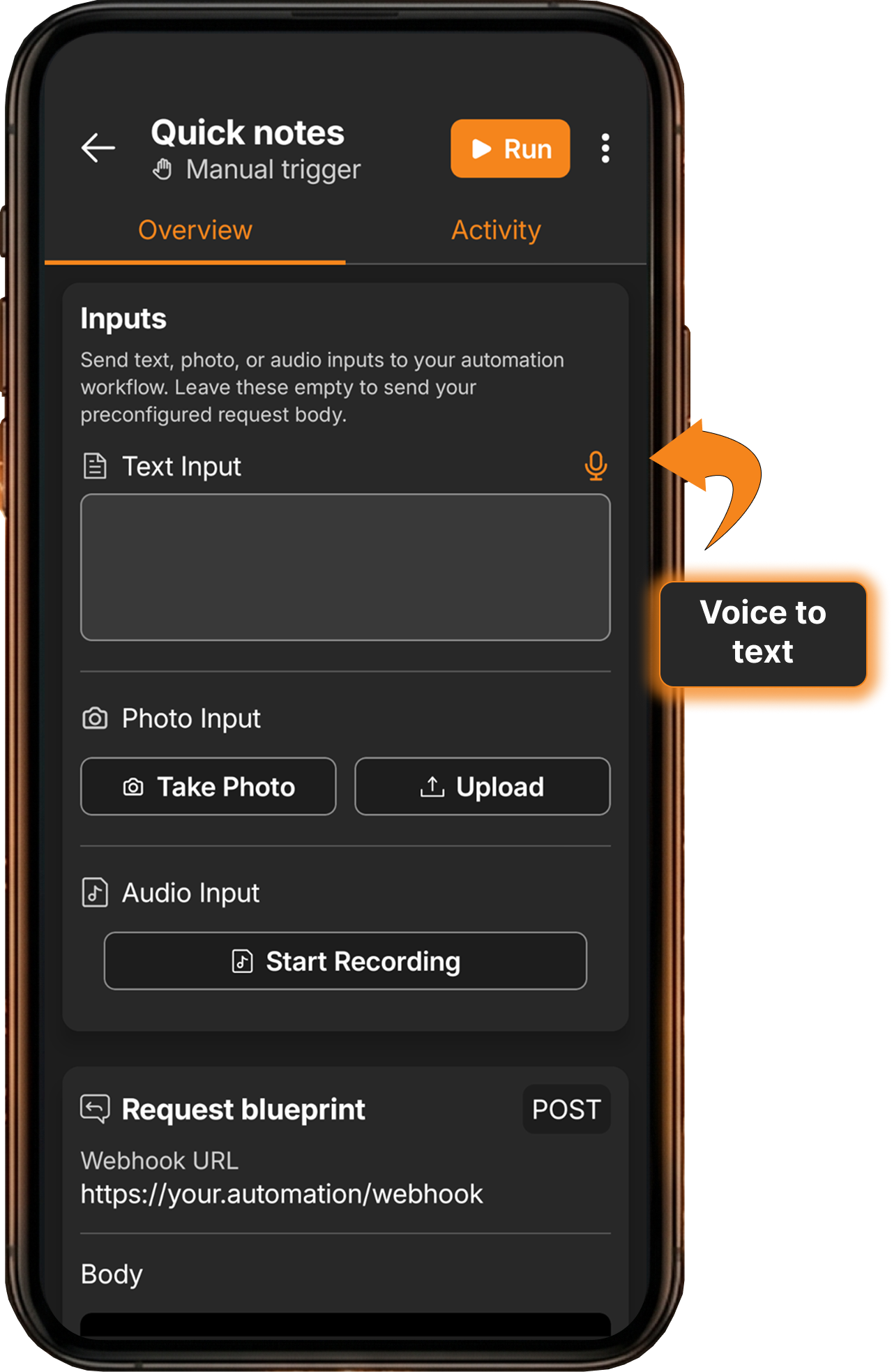
- Text input — type freeform text or use voice-to-text to dictate. Both are sent as the same
textInputfield. - Photo capture — take a photo with your camera or select from gallery. Sent as a file in a multipart request.
- Audio recording — record audio directly from your phone’s microphone. Sent as a file alongside other inputs.
- Combine inputs — enable any combination of text, photo, and audio on a single trigger for rich data capture.
- Home screen widget — add a trigger to your Android home screen for one-tap execution without opening the app.
- Free to use — manual triggers are included in the free version of FlowTrigger.
- Offline support — request will be queued and processes automatically when connection is back.
- Full HTTP control — customize method, field names, authentication, headers, and add custom JSON fields in the Advanced tab.
What does the JSON payload look like for a manual trigger?
FlowTrigger manual triggers support three system JSON fields:
| Field | Description | JSON Field | Content Type |
|---|---|---|---|
| Text input | Type freeform text into the input field or use voice-to-text. | textInput | JSON |
| Voice Input | Record audio from your phone’s microphone | audioInput | multipart/form-data file |
| Photo Input | Capture a photo or select from gallery | photoInput | multipart/form-data file |
All field names are customizable in the Advanced settings tab. You can also add custom JSON fields to the request body alongside the system fields. For example, if you add a custom field category: "expenses", the body becomes:
{
  "textInput": "Coffee at cafe",
  "category": "expenses"
}
When photo or audio inputs are enabled, the corresponding files are attached as multipart fields:
photoInput: the captured or selected image fileaudioInput: the recorded audio file
Other trigger types in FlowTrigger
FlowTrigger offers four trigger types to connect your Android phone with your automation workflows:
- Chat Triggers — a conversational interface that communicates with an LLM running inside your workflow. Free to use.
- Notification Triggers — automatically forward notifications from selected apps to your webhook endpoint. Premium feature.
- Location Triggers — trigger webhooks based on GPS location: zone entry/exit events and distance-based tracking. Premium feature.