Trigger Your Automation Flow From Your Phone
Send text, photos, audio, and GPS data to n8n, Make, Zapier, or any webhook — no account needed. Your data stays on your device.
Powerful Features
Everything you need to control your workflows from anywhere, anytime.
Manual Triggers
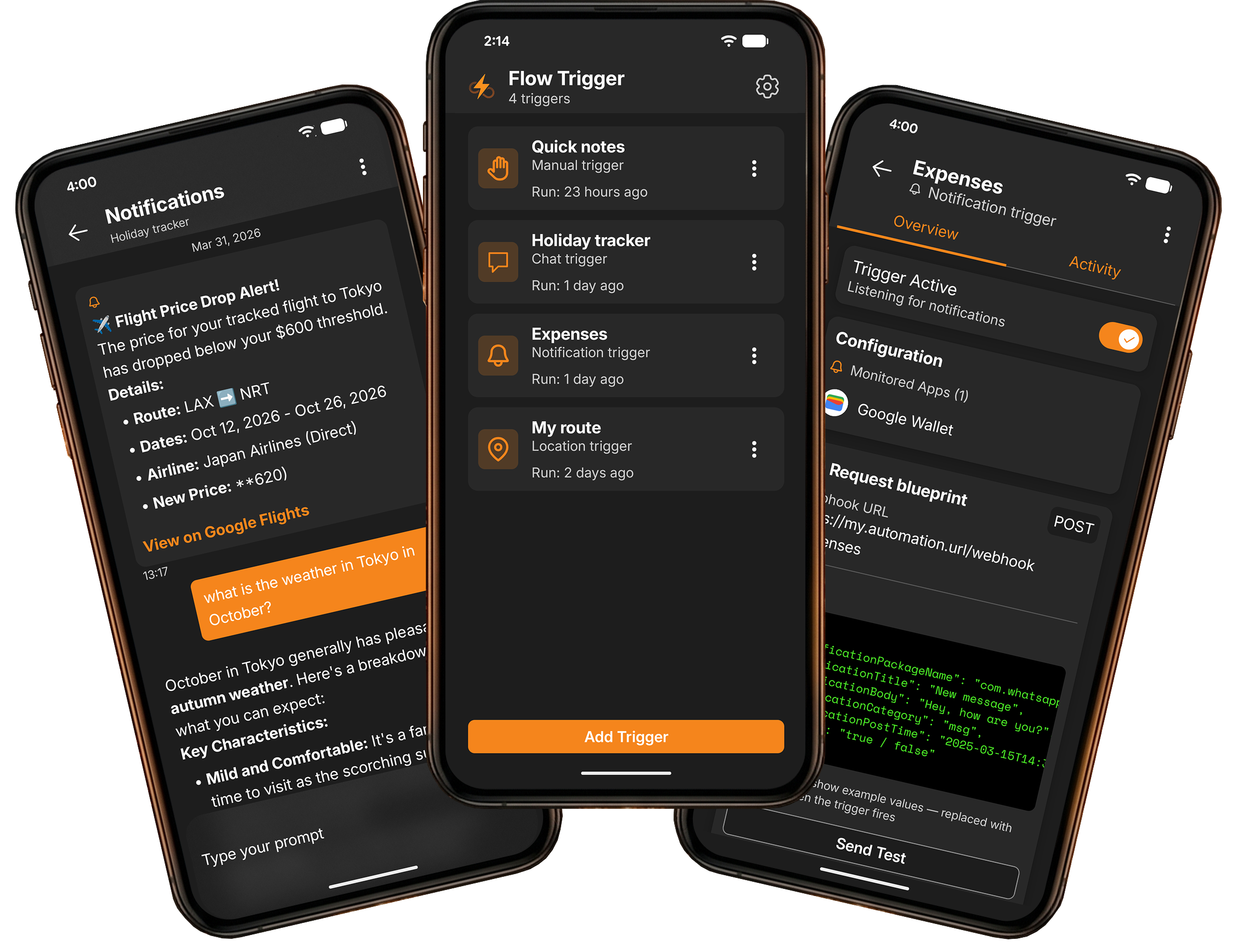
Press a button to fire your webhook. Attach text, voice-to-text transcription, photos, or audio recordings. Add it as a home screen widget for one-tap automation.
Chat Interface
Chat with an AI agent running in your automation workflow. Send prompts, get responses, and receive push notifications — a mobile front-end for any LLM connected to your webhook.
Location Triggers
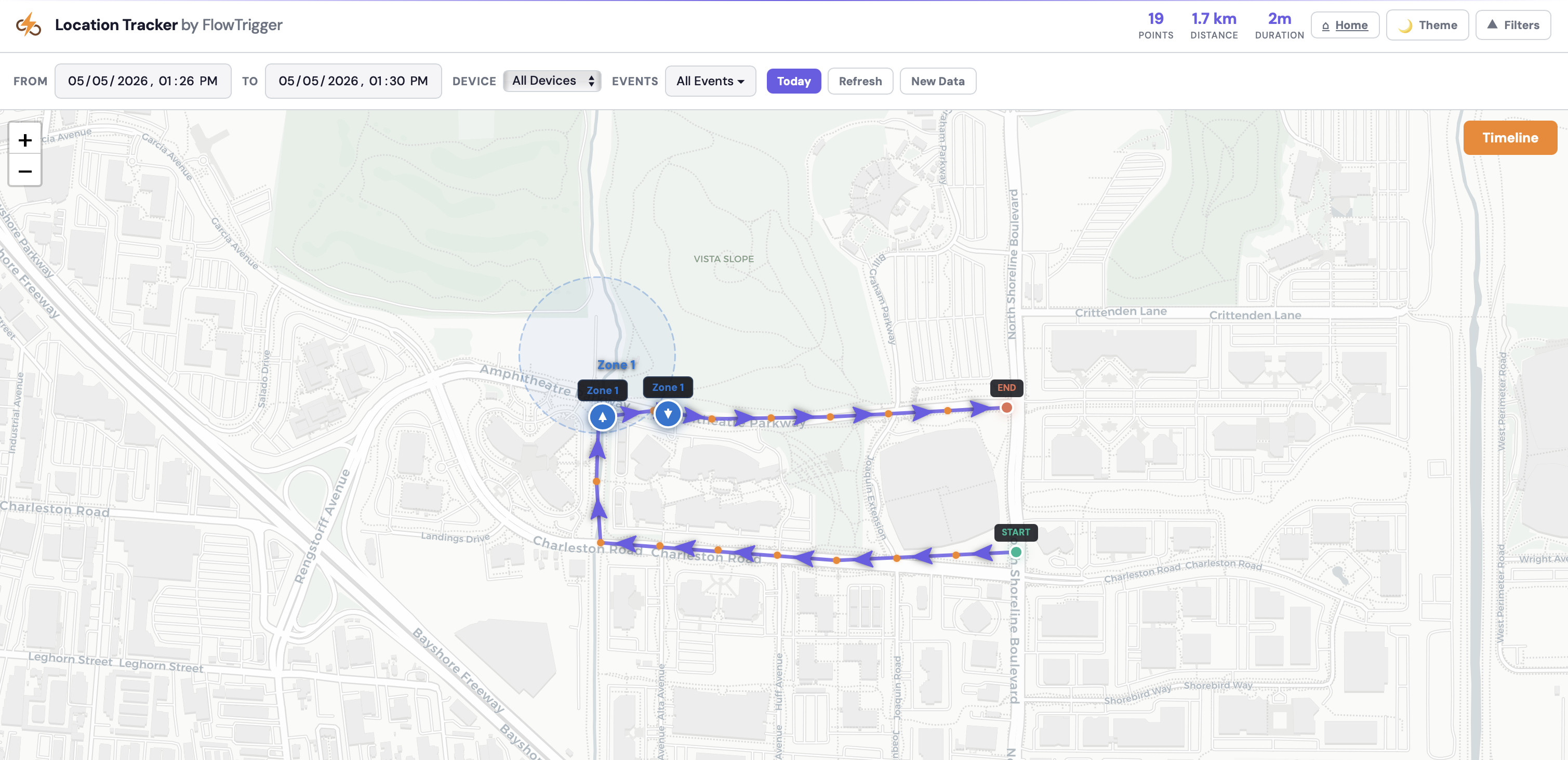
Define geographic zones and trigger workflows when you enter or leave. Track distance traveled and send GPS coordinates at intervals — perfect for location-based automation.
Notification Triggers
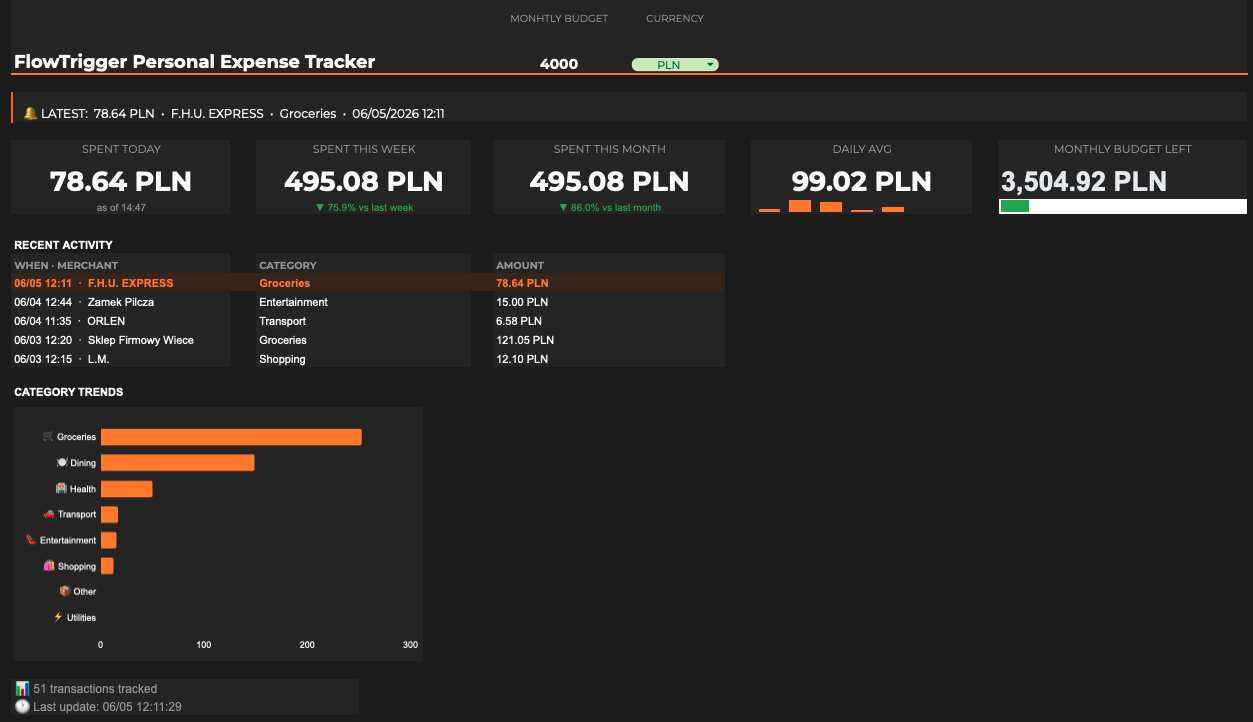
Monitor notifications from any app on your phone. When a matching notification arrives, FlowTrigger forwards the title, body, app name, and timestamp to your webhook automatically.
No Account Required
Install and start triggering. No sign-up, no login, no email.
Data Stays on Your Device
All configurations stored locally. We never see your webhook URLs or trigger data.
Direct HTTP Connection
Your phone talks directly to your webhook endpoint. No intermediary server.
How It Works
Get started in three simple steps. No complex setup required.
Install the App
Download FlowTrigger from Google Play. No account needed — open the app and you’re ready to go.
Connect Your Workflows
Paste your n8n, Make, Zapier, or any custom webhook URL. Choose your trigger type: manual, chat, notification, or location.
Trigger Anywhere
Fire webhooks with a tap, send text, photos, or audio, chat with your AI agent, or let location and notification events trigger automatically.
Use Cases
See how FlowTrigger powers real-world automation workflows.
Simple, Transparent Pricing
Start free, upgrade when you need advanced features. No subscriptions, no surprises.
Free
Perfect to get started
What's included
- Manual triggers
- Chat triggers
- Home widgets
- Offline support
- Network activity
- Requests may be limited
Premium
Unlock all features
Everything in Free, plus
- Location triggers
- Notification triggers
- Export & import data
- Push notifications
- Unlimited requests
Upgrade to Premium from within the mobile app
Frequently Asked Questions
Everything you need to know about FlowTrigger
FlowTrigger works with n8n, Make (formerly Integromat), Zapier, and any endpoint that accepts HTTP requests. It sends standard webhook calls, so you are not locked into any specific automation platform — if it has a webhook trigger, FlowTrigger can fire it.
No. FlowTrigger has no user accounts, no sign-up, and no login. Install the app, paste your webhook URL, and start triggering. All your trigger configurations and data stay on your device — nothing is stored on our servers.
FlowTrigger is currently available for Android. An iOS version is in development — join our waitlist to be notified when it launches.
FlowTrigger never stores your data on any server. There are no user accounts and no intermediary backend — your phone sends HTTP requests directly to your webhook URL over HTTPS. All trigger configurations, chat history, and activity logs stay in the app's local database on your device.
Yes. FlowTrigger supports voice-to-text transcription that converts your speech into text and sends it as part of the webhook payload. You can also attach photos and audio recordings to manual triggers.
Location triggers automatically fire webhooks based on your GPS position. Define geofence zones and get notified when you enter or leave, or enable distance-based tracking to send your GPS coordinates to your workflow at regular intervals — useful for route logging, deliveries, or location monitoring.
FlowTrigger has a free tier with no time limit — you get manual triggers (up to 5 per day) and chat triggers at no cost. Premium unlocks location triggers, notification triggers, data export/import, and unlimited manual triggers for a one-time payment of $5. No subscriptions, no recurring charges.
On the free tier you can fire up to 5 manual triggers per day with no limit on chat triggers. Premium removes the daily cap entirely — unlimited triggers, unlimited configurations. The only usage limits are those of your automation platform (n8n, Make, Zapier, etc.).
No. If you can copy a webhook URL from your automation platform and paste it into FlowTrigger, you're set. The app walks you through setup, and most users are triggering their first workflow within a couple of minutes.
Still have questions?
Contact our support team →Ready to Automate On The Go?
Start automating from your phone in under a minute. No account needed — just paste a webhook URL and go.
Free to start · No account required · One-time $5 premium upgrade